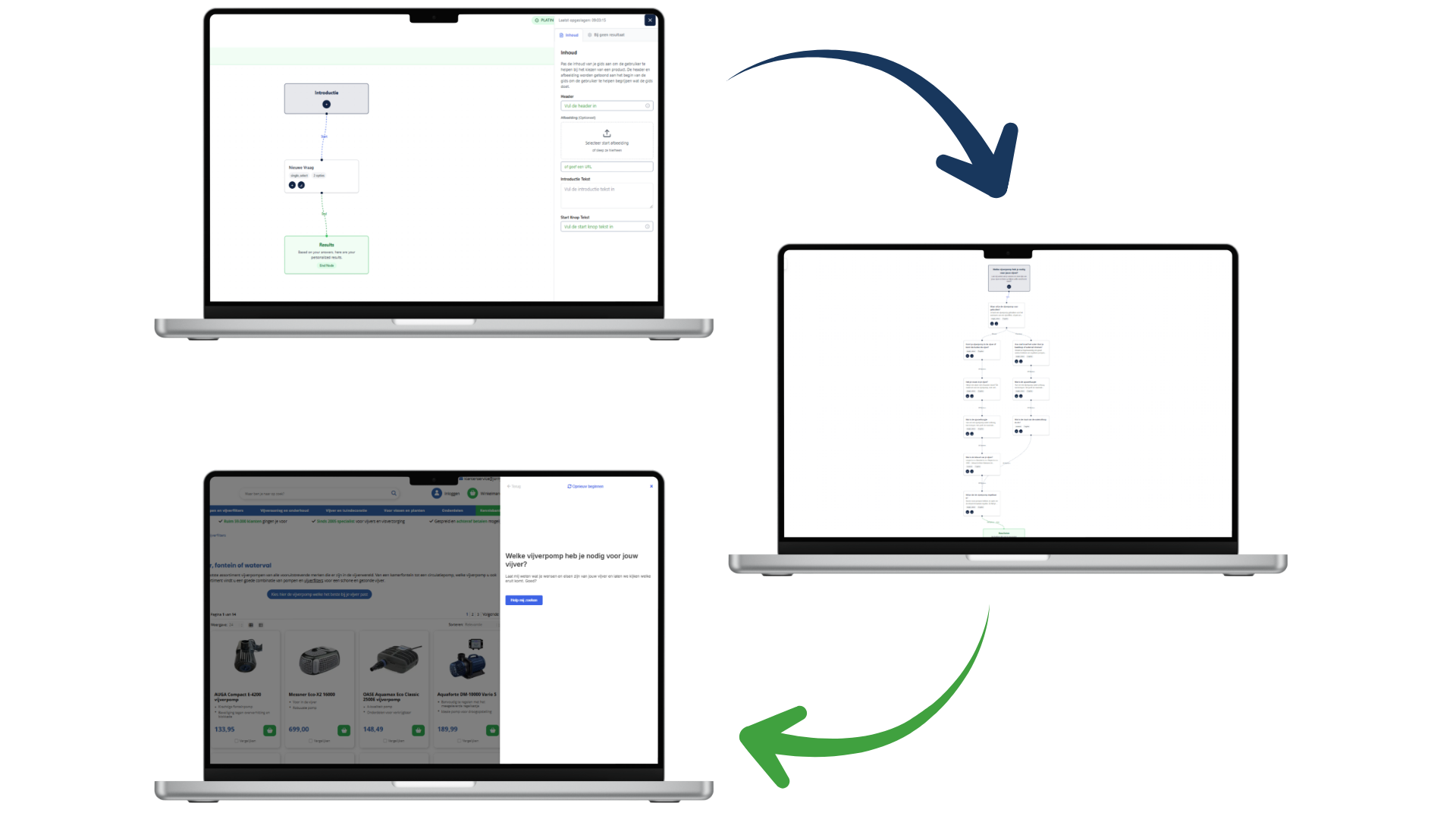
Many webshops want to guide their customers more effectively when choosing the right product
(see also: 5 reasons why a product finder is an absolute must-have).
But where do you start? The answer: by building your first flow in Bebolu.
A flow is the path a customer follows when using your product finder.
With just a few simple steps, you define which questions are asked, which options are shown,
and how the customer ultimately arrives at the best recommendation. In this article, we explain
what a flow is, how to build one, and why it forms the foundation of a strong product finder.
What is a flow in Bebolu?
A flow is the logical structure behind your product finder. You decide:
- Which questions you ask
- Which answers a customer can choose from
- Which follow-up steps are shown per answer
- When a product recommendation is presented
You can think of it as an interactive decision tree, but visual and easy to manage.
Each flow feels logical to the customer and guides them step by step toward the right choice.
Step 1: Start with one clear question
A good product finder starts with one simple opening question. For example:
- What exactly are you looking for?
- Which type of product fits your situation?
- What is your most important preference?
This question defines the starting point of your flow and immediately gives direction to the recommendation.
Step 2: Add answer options
Each question includes multiple possible answers. In Bebolu, you can work with:
- Radio buttons: ideal for simple choices (e.g. yes/no or basic options).
- Visual option blocks: perfect for visual selections such as product types or styles.
Each answer option leads to a follow-up question, creating a logical path that adapts precisely to the customer’s choices.
Step 3: Build follow-up steps based on choices
For each answer, you decide what the next step should be. This allows you to easily expand the flow
with additional questions or decision points. Thanks to the visual builder, it feels like working
with post-it notes that you connect until your complete product finder is ready.
Step 4: End with a recommendation
Once the customer has answered all relevant questions, they arrive at the recommendation. This can be:
- A specific product recommendation
- A shortlist of recommended products
- A text-based recommendation tailored to the selected situation
This is where the magic happens: the flow translates customer choices into a clear and relevant result.
Why a strong flow makes all the difference
- Higher conversion rates – customers hesitate less and move forward faster.
- Less choice overload – structured questions create clarity.
- Better product matches – you genuinely help customers make the right choice.
- Fewer returns – better decisions lead to better purchases.
Start small and expand later
The great thing about Bebolu is that you don’t need to build a complex flow right away.
Start simple with 3–5 steps and expand later with additional options, splits, or AI-powered matches.
Within minutes, your first product finder is ready.
Conclusion
Building a flow in Bebolu is surprisingly easy. By working with clear questions and logical paths,
you help customers make the right choice faster. This directly results in higher conversion rates
and a better shopping experience.
Would you like to see how your webshop can benefit from this?
Ready to get started?
Discover how Bebolu helps your webshop grow with interactive product finders.
Book a demo